
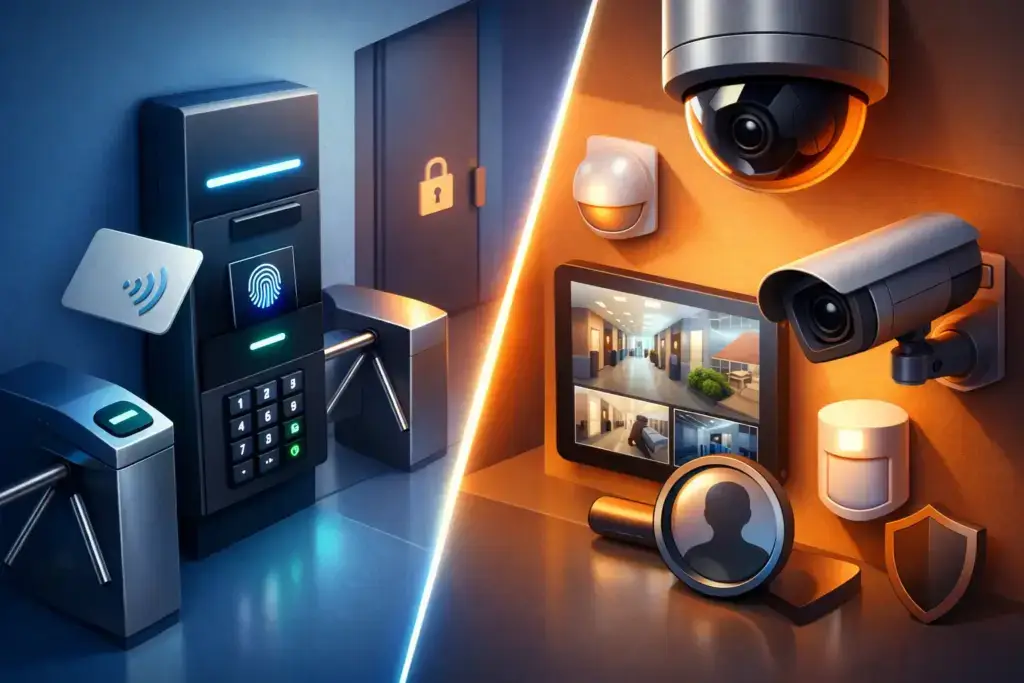
A former employee still has an active key fob. A side door is propped open during a busy delivery window. A package disappears from reception after hours. These are different problems, and the access control versus security cameras question becomes clearer when you start there: Are you trying to prevent an event, document it, or both?
For most small and mid-sized businesses, the answer is not a single product category. Access control and cameras solve different parts of physical security. One determines who can enter and when. The other helps you see what happened, verify activity, and respond with facts. The right investment depends on your building, workflow, risk profile, and the operational visibility you need.
Access Control Versus Security Cameras: The Core Difference
Access control is an active control. It uses credentials such as key cards, fobs, mobile passes, PINs, or biometrics to allow or deny entry through a door, gate, cabinet, or restricted area. It can also record the credential used, the time of entry, and whether access was granted or denied.
Security cameras are primarily an observation and evidence tool. They capture video of people, vehicles, deliveries, visitor activity, and incidents. Depending on the system, authorized staff may view live footage, search recorded clips, receive motion alerts, or monitor multiple locations remotely.
That distinction matters because cameras do not stop someone from using an old metal key. Access control does not show whether a person let someone else through a secured door. Each has blind spots when deployed alone.
A business with frequent staff turnover may get immediate value from access control because credentials can be removed in minutes rather than requiring locks to be rekeyed. A warehouse with recurring loading-dock disputes may prioritize cameras because management needs a reliable record of activity. A medical office, professional services firm, retail operation, or multi-site business often needs both.
What Access Control Does Well
The practical advantage of access control is control that changes with your business. You can grant a new employee access to approved doors, limit a contractor to a specific time window, and revoke access immediately when a role changes or employment ends. That removes the uncertainty that comes with copied keys and undocumented key handoffs.
It also supports better accountability. Instead of asking who may have had a key, managers can review access events associated with a specific credential. This is useful for sensitive spaces such as server rooms, inventory cages, records storage, executive suites, and back offices.
Where Access Control Has Limits
Access logs can tell you that a credential opened a door. They do not necessarily tell the full story. Someone could tailgate behind an authorized employee, prop the door open, or enter after being waved in. Credentials can be shared, too, unless your policies and technology address that risk.
Access control also requires planning beyond the reader on the wall. Door hardware, fire and life-safety requirements, power, network connectivity, egress rules, and building lease restrictions all affect the design. A poorly planned deployment can create inconvenience for staff without delivering meaningful protection.
What Security Cameras Do Well
Cameras give leaders a view of the areas they cannot physically watch all day. They are especially effective at entrances, reception areas, parking lots, loading zones, cash-handling areas, warehouses, and common spaces where visibility deters misconduct and helps resolve questions quickly.
When an incident occurs, good video can reduce guesswork. It can help clarify whether a delivery arrived, whether a door was left open, when a vehicle entered a lot, or what occurred during a customer complaint. For distributed organizations, centralized viewing can give operations leaders a more consistent understanding of activity across locations.
Modern camera systems can add motion-based alerts, remote viewing, and searchable video. Those capabilities can be valuable, but they should serve a defined operating need. More alerts are not automatically better. If every movement generates a notification, the system becomes background noise and real events are easier to miss.
Where Cameras Have Limits
A camera records. It does not decide who should be allowed through a door. In many cases, by the time someone reviews footage, the loss or intrusion has already happened.
Coverage quality also depends on design. A camera mounted too high, pointed into glare, blocked by shelving, or installed without adequate lighting may produce footage that is less useful than expected. Retention periods, storage capacity, network bandwidth, and user permissions need attention as well. Video is only helpful if it is available when you need it and accessible only to the right people.
When One System May Be Enough
There are legitimate cases where starting with one system is the right call. A small office with a low volume of visitors and a single exterior entrance may first replace unmanaged keys with access control. That gives management a direct way to control entry and eliminate the disruption of rekeying after personnel changes.
A business with open public access, limited secured areas, and a need to monitor customer interactions may begin with cameras. Retail storefronts and service counters are common examples. The priority is visibility, incident documentation, and safer operations rather than restricting every entry point.
The decision should not be based only on the lowest initial price. Consider the cost of the problem you are trying to solve. How disruptive is a lost key? What would an after-hours break-in, inventory dispute, or unauthorized entry cost in downtime, liability, customer confidence, and staff time? Those answers provide a more useful budget framework.
Why the Combined Approach Usually Wins
The strongest physical security design pairs prevention with verification. Access control restricts entry and creates an event trail. Cameras provide visual confirmation around that event. If an access report shows a door opened at 8:17 p.m., video can help establish who entered, whether another person followed, and whether the door was secured afterward.
This combination is particularly valuable at exterior doors, employee-only entrances, server rooms, stockrooms, pharmacy or medical-records areas, and facilities with after-hours activity. It also gives business leaders a better basis for internal investigations without relying on assumptions or awkward conversations built around incomplete information.
The goal is not to turn a workplace into a fortress. It is to apply the right level of control where the business has real exposure. A client-facing lobby may need cameras and visitor processes, while a network closet needs controlled access and a record of entry. Different spaces deserve different safeguards.
Plan the System Around Operations, Not Devices
Before selecting hardware, map how people actually move through the facility. Identify public entrances, employee entrances, delivery doors, restricted rooms, high-value assets, and areas where incidents or confusion have occurred. Then consider who needs access, during which hours, and what should happen when an employee, vendor, or tenant relationship changes.
A practical plan should address four connected areas:
- Physical coverage: Which doors, rooms, lots, and workflows need control or visibility?
- Operational ownership: Who can add and remove credentials, review footage, and respond to alerts?
- Technical foundation: Does the network support secure connectivity, appropriate bandwidth, power resilience, and protected administration?
- Policy and privacy: Are employees informed appropriately, are retention periods defined, and are cameras positioned lawfully and respectfully?
For organizations subject to compliance obligations or cyber insurance requirements, physical security should not sit in a separate silo. Door systems, cameras, cloud management portals, user accounts, and network-connected devices all create administrative and cybersecurity considerations. Default passwords, overly broad administrator access, unsupported equipment, and unmanaged remote access can turn a useful physical security tool into an unnecessary technology risk.
Questions to Ask Before You Buy
Ask what specific event you want to reduce, prevent, or investigate. Ask whether the system can grow with additional doors or locations. Ask how long video must be retained and who can export it. Ask how credentials are removed when someone leaves. Ask what happens during an internet outage, power interruption, or network failure.
Also ask who will own the system after installation. Many businesses have experienced the frustration of an installer who completes the job but leaves no clear documentation, no admin process, and no support path. Physical security should be treated as part of your operating environment, not a one-time hardware purchase.
A strategic technology partner can help connect those pieces: building a plan that respects the facility, supports the people using it, protects the underlying network, and gives leadership clear accountability. Quantum Shield IT approaches access control and camera planning in that broader context because the devices are only one part of a dependable security posture.
The best next step is to walk your facility with real scenarios in mind. Consider who enters, what they need, where uncertainty exists, and how quickly your team needs answers when something goes wrong. That conversation will tell you far more than a product checklist ever could.
