
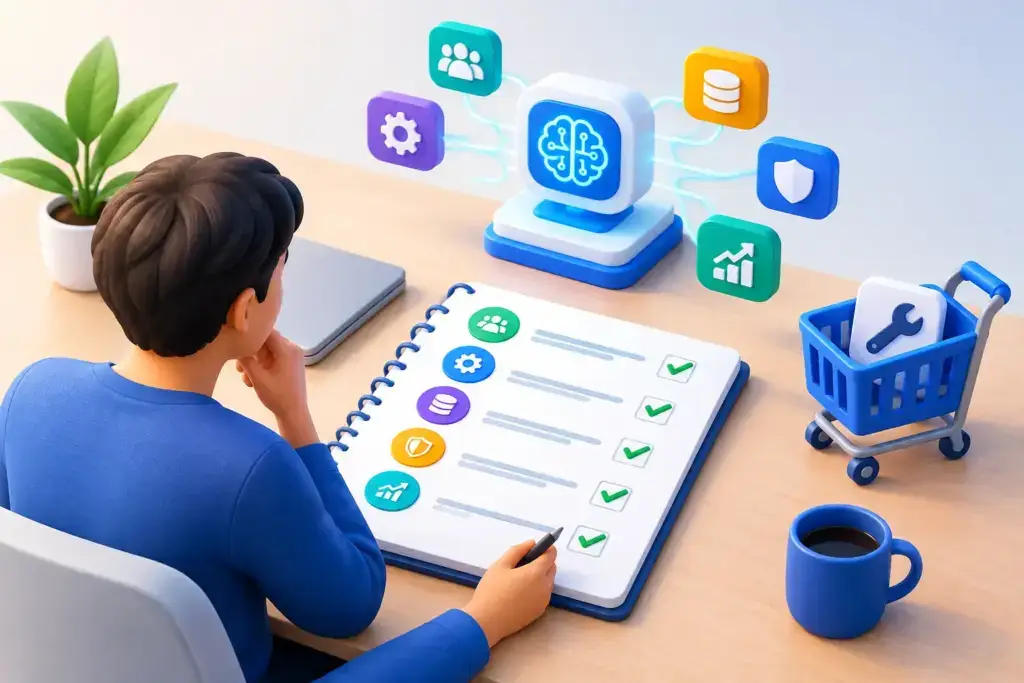
A team sees a polished AI demo, signs up for a tool, and starts feeding it business information before anyone has answered a basic question: what problem are we solving? That is how promising technology becomes another monthly expense, another security concern, and another disconnected system. AI readiness planning gives business leaders a disciplined way to decide where AI belongs, what it should do, and what must be in place before employees rely on it.
For small and mid-sized businesses, the goal is not to adopt AI because competitors are talking about it. The goal is to reduce repetitive work, improve decisions, protect sensitive information, and create capacity for growth without creating new operational risk.
What AI readiness planning actually means
AI readiness planning is the process of assessing your organization’s business goals, workflows, data, systems, security controls, and people before selecting or deploying AI tools. It turns a broad question – “How should we use AI?” – into a practical roadmap with clear priorities, owners, guardrails, and measures of success.
This matters because AI is not one thing. A Microsoft 365 Copilot deployment, an AI-supported customer service workflow, a marketing content platform, and a predictive analytics system carry very different data, integration, training, and governance requirements. Treating them as the same initiative leads to vague expectations and uneven results.
A useful plan also separates quick wins from larger transformation work. Some use cases can be tested quickly with approved tools and limited data. Others require data cleanup, identity improvements, system integrations, or compliance review first. There is no prize for moving fastest if the result is exposure, confusion, or poor adoption.
Start with business friction, not software features
The best AI projects begin where work repeatedly slows down. Look for processes that consume staff time, depend on searching through documents, require repetitive drafting, or create delays between teams. The issue may be proposal preparation, client intake, invoice follow-up, service documentation, internal knowledge searches, or reporting.
Ask leaders and frontline employees where work gets stuck. The answers often reveal a more valuable opportunity than the tool originally under consideration. For example, a company may think it needs an AI chatbot, but discover that the real issue is scattered documentation and inconsistent customer handoffs. In that case, organizing the knowledge base and workflow comes before automating the conversation.
Each potential use case should have a business outcome attached to it. “Use AI for operations” is not a plan. “Reduce the time required to prepare weekly operational reports from four hours to one hour while maintaining manager review” is a testable objective. Specific outcomes make it easier to decide whether a pilot earns a wider rollout.
Assess the foundation AI will depend on
AI tools are only as dependable as the environment around them. Before expanding use, review the foundation employees will use to access, share, and act on AI-generated information.
Data quality and access
Does your company know where its important data lives? Is it current, consistently labeled, and accessible to the people who need it? Are customer records duplicated across platforms? Are shared folders full of outdated documents? AI can help people find and summarize information, but it can also amplify stale, incomplete, or conflicting data.
Access matters just as much. Employees should not gain visibility into payroll, legal records, financial data, or protected customer information simply because an AI tool was connected to a broad data source. Role-based access, clear ownership, and sensible retention practices are part of the readiness work.
Identity, devices, and cloud controls
AI adoption raises the stakes for basic IT hygiene. Multifactor authentication, managed devices, patching, secure backups, and centralized identity management are not separate from the AI conversation. They determine whether your organization can control access and respond when something goes wrong.
For businesses using Microsoft 365, readiness may include reviewing tenant settings, sharing permissions, sensitivity labels, data loss prevention policies, and the configuration of approved AI features. The right approach depends on your licenses, data types, compliance obligations, and the way teams collaborate. A blanket “turn it on for everyone” decision is rarely the most thoughtful one.
Security and compliance exposure
Employees will use AI whether leadership has a plan or not. If approved tools are not available and expectations are unclear, staff may paste company information into free public tools to save time. That creates shadow AI: unapproved use that is difficult to see, govern, or defend.
A readiness assessment should identify what information may be entered into which tools, what requires human approval, and what must never be shared. Regulated businesses and organizations with contractual security commitments need additional review. Privacy requirements, client agreements, cyber insurance questionnaires, and industry rules can all affect the acceptable use of AI.
The aim is not to ban useful technology. It is to give people a safe, practical path for using it.
Build governance that employees can follow
A two-page AI policy that no one reads will not reduce risk. Good governance is specific enough to guide daily decisions and simple enough that employees can remember it.
Start by naming approved tools and approved use cases. Explain how staff should handle confidential data, customer information, financial records, health information, source code, and intellectual property. Set expectations for human review, especially when AI helps create client-facing content, recommendations, contracts, hiring materials, or decisions that could affect people.
Ownership should be clear. Business leaders define priorities and acceptable outcomes. IT manages identity, systems, integrations, and technical controls. Security or compliance leadership evaluates risk. Department managers validate that a workflow actually works in practice. If there is no internal security executive, a vCISO can help establish governance without requiring a full-time hire.
Governance also needs an escalation path. Employees should know what to do if an AI response appears wrong, exposes sensitive material, or leads to a suspicious request. Clear reporting turns incidents into improvements instead of hidden problems.
Pilot narrowly, measure honestly
A pilot is not a broad rollout with a different name. It is a controlled test designed to prove value, identify risk, and improve the process before more people depend on it.
Choose one workflow with a defined user group, a limited data set, and a measurable baseline. Document how the work is handled today, including the time involved, error rate, approval steps, and customer impact. Then compare the result after the AI-enabled process is introduced.
Measures should go beyond time saved. A faster process that produces inaccurate answers, weakens client communication, or creates extra review work is not necessarily an improvement. Track quality, rework, adoption, security exceptions, and user feedback alongside productivity.
Not every pilot should scale. That is a useful outcome when it prevents a larger investment in the wrong solution. The strongest organizations treat pilots as decision tools, not as proof that every new technology trend deserves a place in the stack.
Prepare people for changed work
AI adoption is often framed as a technology project, but employees determine whether it produces value. People need to understand what the tool can do, where it makes mistakes, and when their judgment remains essential.
Training should use real work examples rather than generic prompts. A service coordinator, finance manager, sales representative, and operations leader will each need different guidance. Show teams how to verify outputs, protect data, write better prompts where appropriate, and recognize requests that require escalation.
Be direct about the purpose. If AI is intended to remove low-value administrative work, say so. If it changes responsibilities or performance expectations, address that early. Uncertainty invites resistance and informal workarounds. Clear communication creates better feedback and more responsible use.
Turn readiness into a working roadmap
AI readiness planning should end with decisions, not a presentation that sits in a shared folder. The roadmap should identify the highest-value use cases, the prerequisites for each, the security controls required, the people accountable, and the sequence for pilots and broader deployment.
For some companies, the first step will be cleaning up Microsoft 365 permissions or standardizing document storage. For others, it may be formalizing an acceptable-use policy, improving backup and recovery capabilities, or consolidating fragmented systems. These investments can feel less exciting than a new AI application, but they are often what make useful AI adoption possible.
A capable managed IT and cybersecurity partner can bring structure to this work by connecting business goals with the underlying technology, security, and compliance requirements. Quantum Shield IT approaches that conversation as a roadmap discussion, not a software sales pitch.
The right first move is usually modest: choose one meaningful business problem, establish the guardrails, and learn from a focused pilot. That approach gives your team something better than AI enthusiasm – a clear path to using technology with confidence.
