
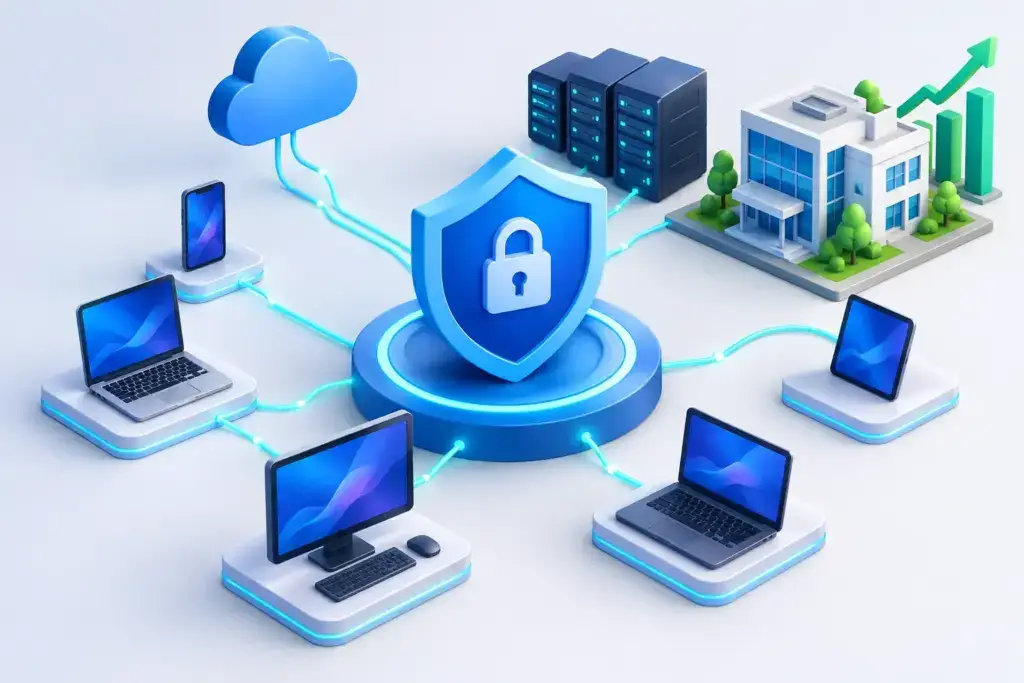
A single employee laptop can become the entry point for a business-wide interruption. It may start with a convincing Microsoft 365 login page, an attachment that looks like an invoice, or software installed outside the normal process. Endpoint detection response gives your organization a way to see that activity, assess whether it is dangerous, and act before one compromised device becomes downtime, data loss, or a ransomware event.
For small and mid-sized businesses, the question is not whether antivirus is useful. It is. The question is whether it gives your team enough visibility and response capability when an attack gets past basic prevention. That distinction matters when you do not have a full internal security operations center watching alerts around the clock.
What endpoint detection response actually does
An endpoint is any device that connects to your environment: laptops, desktops, servers, and sometimes mobile devices. These are where employees open email, access customer information, use cloud applications, and connect to shared files. They are also frequent targets because compromising one endpoint can give an attacker a foothold inside the business.
Endpoint detection and response, often called EDR, continuously collects and evaluates security activity from those devices. Instead of only comparing files against a known list of malicious signatures, it looks for suspicious behavior. That could include a document launching a command-line tool, a user account attempting to access systems it does not normally use, or a program encrypting a large volume of files.
When behavior crosses a risk threshold, the platform creates an alert and preserves useful evidence. Depending on the tool and service model, it can also isolate a device from the network, stop a malicious process, quarantine a file, or support a deeper investigation.
This is why endpoint detection response is more than a software purchase. The technology produces signals. The business value comes from having the right people, process, and escalation plan behind those signals.
Why traditional antivirus is not enough on its own
Traditional antivirus remains a necessary layer. It is effective at blocking many known threats quickly and quietly. But modern attacks often use legitimate tools, stolen credentials, scripts, remote access utilities, and techniques designed to avoid simple file-based detection.
Consider a realistic example. An employee enters their password into a fraudulent sign-in page. No malicious file may ever touch their laptop. An attacker then signs in using valid credentials, creates mailbox rules, searches for payment information, and tries to access shared cloud files. Antivirus may have nothing obvious to block. Security monitoring across identity, email, and endpoints is what helps reveal the unusual pattern.
EDR also helps after prevention fails. Security is not a promise that nothing will happen. It is the ability to reduce the chance of an incident, limit its spread, and recover with confidence if one occurs. Businesses that plan around that reality tend to make faster, less stressful decisions under pressure.
Detection is only useful when response is clear
An alert at 2:00 a.m. does not protect a business by itself. Someone must determine whether it is a false positive, a harmless but unusual activity, or a real incident requiring immediate containment. They also need authority to act without waiting for a chain of approvals while an attacker moves through the environment.
That is where many organizations encounter the gap between buying an EDR license and operating an effective security program. A busy office manager, internal IT generalist, or executive should not have to interpret hundreds of technical alerts each month. They need concise answers: What happened? What was affected? What has been contained? What should we do next?
A managed security partner can provide the monitoring and response discipline that smaller organizations often cannot staff internally. That should include clearly defined escalation paths, documented access, regular review of security trends, and communication that explains risk in business terms. If a device is isolated, the affected employee and leadership team should know why, what access is temporarily unavailable, and how service will be restored.
What a practical EDR program should include
The right program depends on your risk profile, compliance obligations, number of devices, and tolerance for interruption. A professional services firm handling sensitive client data may need different controls than a construction company with field teams and shared devices. Still, an effective baseline usually brings several pieces together:
- Endpoint protection installed, configured, and actively monitored on all supported laptops, desktops, and servers.
- A defined response process for isolating devices, investigating activity, resetting credentials, and preserving evidence.
- Coverage for off-network and remote devices, not only computers inside the office.
- Integration with identity, email, firewall, backup, and vulnerability management controls.
- Regular reporting that identifies recurring risks, unsupported devices, coverage gaps, and priorities for improvement.
Coverage is a common weak point. If executives, remote workers, or servers are excluded because they are harder to manage, attackers will notice the same gaps. The goal is not to install an agent everywhere without thought. It is to create a complete inventory, identify exceptions deliberately, and document compensating controls where an endpoint agent cannot be used.
EDR works best as part of a larger security strategy
A protected endpoint cannot solve every security problem. If multifactor authentication is not enforced, a stolen password may still allow cloud account access. If backups are untested, a contained ransomware event can still cause a long recovery. If employees have broad local administrator rights, ordinary mistakes can carry unnecessary consequences.
The strongest approach connects endpoint monitoring with the rest of the security program. Identity controls reduce the value of stolen credentials. Email security limits phishing attempts. Patch management closes known vulnerabilities. Network controls restrict lateral movement. Tested backups provide a recovery path. Security awareness training helps people recognize the initial lure.
This layered model also supports compliance and cyber insurance conversations. Many insurers and regulators now expect organizations to demonstrate basic controls, incident response planning, access management, and evidence of ongoing oversight. EDR can provide valuable visibility, but it should not be treated as a shortcut to compliance. Requirements vary by industry and policy, and documentation matters as much as technology.
Questions to ask before choosing endpoint detection response
Business leaders do not need to become security analysts to make a sound decision. They do need direct answers from their IT or security provider. Start by asking who monitors alerts, during what hours, and what happens when a high-confidence threat appears outside business hours.
Ask whether the provider can isolate a device immediately, who approves that action, and how employees are supported if the device is taken offline. Clarify which devices are covered, how quickly new devices are enrolled, and whether servers receive the same level of attention as user workstations.
Also ask how incidents are communicated. A useful incident report should explain the scope, actions taken, current status, and recommended follow-up in plain language. It should not leave leadership with a page of technical terminology and no understanding of business impact.
Finally, look beyond the initial deployment. Endpoint tools need tuning, policy review, software updates, and periodic validation. A security partner should be able to show how endpoint protection fits into a broader roadmap for your business, rather than treating it as another disconnected subscription.
The real outcome is fewer surprises
The best endpoint program is rarely noticeable on a normal workday. Employees sign in, access the applications they need, and get their jobs done. Behind the scenes, suspicious activity is monitored, risk is reduced, and the organization has a practiced path for responding when something does not look right.
That preparation changes the conversation after an incident. Instead of asking who can help and where the attacker may be, your team can focus on containment, recovery, customer communication, and the next business decision. For growing organizations, that clarity is often the difference between a contained security event and a disruption that follows the company for months.
