
A server that only one former employee understands. Software purchased department by department. Backups that may work, but have never been tested. These are not isolated IT problems. They are signs that the business has outgrown its technology foundation. An IT modernization roadmap gives leadership a practical way to replace uncertainty with priorities, timelines, ownership, and measurable business outcomes.
Modernization is not a shopping list for new tools. It is a business decision about where technology is slowing people down, creating avoidable risk, or limiting the company’s next stage of growth. For a 30-person firm, that may mean securing Microsoft 365 and standardizing devices. For a 300-person organization, it may mean integrating systems, improving identity management, and building stronger disaster recovery capabilities. The right plan depends on where the business is now and where it needs to go.
Start With the Business, Not the Hardware
Many modernization efforts lose momentum because they begin with a preferred product instead of a clear operational problem. Replacing a firewall, moving files to the cloud, or deploying new laptops can be worthwhile, but each investment should connect to a business need.
Leadership should first define the conditions that are creating friction. Perhaps remote employees cannot reliably access the systems they need. Maybe customer information lives in too many places, reporting takes days, or cyber insurance renewal questions expose gaps no one owns. A growing business may also be preparing to add locations, acquire another company, meet a compliance obligation, or support a more distributed workforce.
These priorities establish the standard for every technology decision. A good roadmap is not built around what is newest. It is built around what will reduce exposure, improve productivity, protect revenue, and make future decisions easier.
Build a Clear Picture of the Current Environment
You cannot prioritize what you cannot see. The discovery phase should produce a straightforward inventory of the systems, vendors, contracts, devices, users, data, and processes that keep the organization running.
That includes more than servers and network equipment. Look at line-of-business applications, cloud subscriptions, phone systems, internet connections, backup locations, security tools, user access, and the informal workarounds employees have created to get their jobs done. Those workarounds often reveal the real gaps faster than a technical inventory alone.
The review should also identify concentration risk. If one employee holds the keys to every administrator account, if one aging server supports a critical application, or if one internet circuit takes down the office when it fails, those issues belong near the top of the roadmap. The same is true for unsupported operating systems, shared passwords, inconsistent patching, and backups that have not been restored in a test.
This is where an outside technology partner can bring useful perspective. Internal administrators may know the environment deeply, but they are often consumed by daily support requests. A structured assessment creates room to evaluate the environment against business goals, security expectations, and realistic operational capacity.
Prioritize Risk Before Convenience
Every organization has more technology needs than budget and time will allow in a single quarter. The roadmap needs a decision framework, not a long list of good ideas.
A practical approach is to score initiatives against four questions: How much risk does this reduce? How much does it improve employee or customer experience? How urgent is it because of lifecycle, contract, compliance, or insurance requirements? What is the cost of delaying it?
This prevents a familiar pattern: visible projects receive attention while foundational issues remain unresolved. A new collaboration platform may be appealing, but it should not outrank multifactor authentication, protected backups, or a failing core switch if those weaknesses could interrupt operations or expose sensitive data.
That does not mean every security project must come first. The answer depends on the business. A company opening a new location may need network and communications infrastructure on a fixed timeline. A professional services firm with sensitive client data may need to accelerate identity controls and security monitoring. Prioritization should be deliberate, documented, and revisited as conditions change.
Structure the IT Modernization Roadmap in Phases
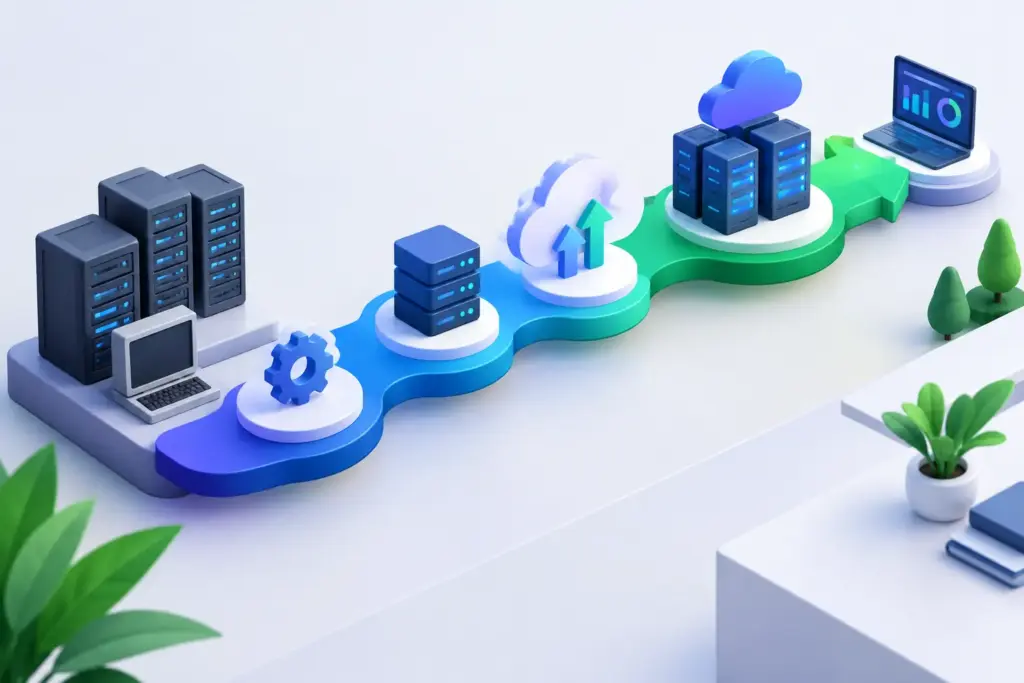
A roadmap works best when it separates immediate stabilization from longer-term transformation. Trying to modernize everything at once creates disruption, strains internal teams, and makes it difficult to prove progress.
First 90 Days: Stabilize and Gain Control
The earliest phase should address urgent exposure and establish visibility. Common priorities include documenting the environment, removing obsolete accounts, enforcing multifactor authentication, confirming endpoint protection, testing backups, applying critical updates, and identifying systems nearing end of life.
This phase should also clarify who owns decisions. Businesses often have multiple vendors handling internet, phones, cloud licensing, security, and support. When an issue crosses those boundaries, accountability disappears. Consolidating oversight does not always require replacing every vendor immediately, but someone must own the whole picture.
Three to Twelve Months: Standardize and Strengthen
Once the immediate risks are under control, the focus can shift to reducing complexity. Standard device configurations, centralized identity management, documented onboarding and offboarding, managed patching, network segmentation, and consistent security policies make the environment easier to support and defend.
This is also the right time to evaluate cloud migration, Microsoft 365 optimization, VoIP modernization, wireless upgrades, and business continuity improvements. The goal is not to move every workload to the cloud by default. Some applications are costly or difficult to migrate, and some perform better in a hybrid environment. The decision should be based on reliability, security, operating cost, and the needs of the users who depend on the system.
Twelve to Thirty-Six Months: Enable Growth
The later phase turns technology from a maintenance concern into a business capability. That may include application integration, workflow automation, data reporting, AI readiness, upgraded collaboration tools, or infrastructure designed for expansion into new sites and markets.
AI deserves particular care. Before adopting AI tools broadly, businesses need clear data access rules, employee guidance, and an understanding of which platforms retain or train on company information. AI can improve efficiency, but only when it is introduced with appropriate governance rather than treated as an uncontrolled shortcut.
Put Costs, Dependencies, and Owners on Paper
A roadmap without financial context is difficult to act on. Each initiative should have an expected cost range, expected operating impact, timing, technical dependencies, and a named owner. This makes it easier to distinguish necessary investments from optional improvements.
Consider the full cost, not just the purchase price. A low-cost platform can become expensive if it adds management overhead, requires specialized support, or duplicates an existing capability. Conversely, a higher monthly service cost may be justified if it reduces downtime, improves security monitoring, and removes the burden from an already stretched internal team.
Dependencies matter just as much. You cannot retire an old server until the application on it is understood and migrated. You should not deploy a new phone system before confirming network capacity and emergency calling requirements. Sequencing prevents expensive rework and reduces disruption for employees.
Measure Progress in Business Terms
Technology projects often get reported as completed tasks: firewall installed, migration finished, devices replaced. Those milestones matter, but executives also need to know what changed for the business.
Useful measures include fewer recurring support issues, faster onboarding, reduced downtime, successful backup recovery tests, improved response to security alerts, fewer unsupported assets, and clearer budget predictability. If the company is pursuing compliance or cyber insurance, track evidence readiness and the closure of identified gaps.
Quarterly reviews keep the roadmap relevant. Business priorities change, new threats emerge, acquisitions happen, and vendors alter pricing or product direction. A roadmap should provide discipline without becoming rigid. It is a living plan that helps leadership make better trade-offs as the business evolves.
Make Modernization a Leadership Practice
The strongest modernization programs are not driven by panic after an outage or security incident. They are maintained through regular leadership attention. A vCIO or vCISO function can be especially valuable for organizations that need executive-level technology and security guidance without adding multiple full-time leaders.
For businesses in Southern California or Las Vegas that are tired of managing disconnected providers, Quantum Shield IT can help bring IT operations, cybersecurity, communications, and long-range planning into one accountable strategy. The benefit is not simply fewer vendors. It is clearer ownership when priorities compete and pressure rises.
The next useful step is not to approve a major technology purchase. It is to ask a direct question: if your most critical system failed tomorrow, would your team know who owns the response, how long recovery would take, and what the business can tolerate? The answer will tell you where the roadmap should begin.
