
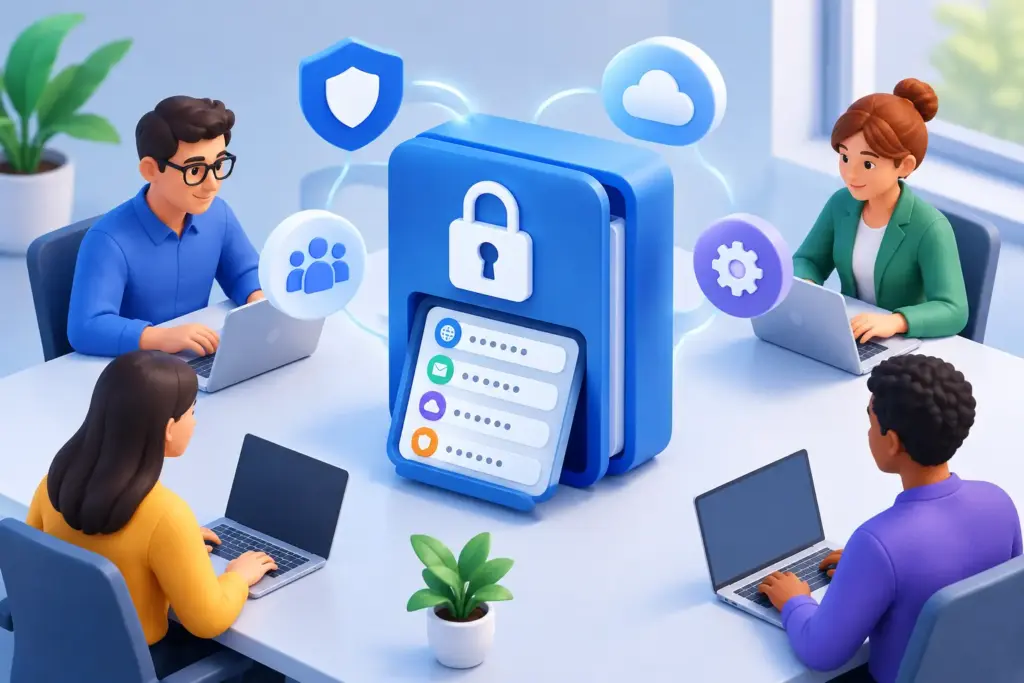
A shared spreadsheet of logins is not a password strategy. Neither is a browser saving credentials on a former employee’s laptop, or an office manager texting a vendor password when someone cannot get into an account. Those workarounds are common in growing businesses, but they create avoidable exposure. This password manager review focuses on what business leaders should evaluate before selecting a platform for a real team.
The right tool reduces friction while giving the business more control. The wrong one can become another disconnected system, difficult to administer and easy for employees to bypass. The goal is not simply to store passwords. It is to create accountable access to the systems your people rely on every day.
What a Business Password Manager Must Solve
Consumer password managers are designed around one person and one set of devices. A business platform has a broader job. It needs to protect individual credentials while also handling shared accounts, employee turnover, administrator oversight, recovery, and security reporting.
Consider the accounts that matter most: Microsoft 365, payroll, banking, accounting, cloud applications, remote access tools, social media, domain management, and vendor portals. Access to these systems is often spread across departments with little documentation. That becomes a serious operational problem when a key employee leaves, an executive is unavailable, or an account is compromised.
A well-run password manager brings those credentials into a controlled environment. Employees can use strong, unique passwords without being expected to remember them. Administrators can assign access by role, remove it quickly when needed, and avoid exposing the actual password in many situations. That creates less dependence on individual people and fewer security gaps hidden inside daily operations.
Password Manager Review Criteria That Matter
Feature lists can make every product sound similar. The real differences show up in administration, recovery, and how well the platform fits your operating model.
Encryption and security design
Start with the basics: credentials should be encrypted so the provider cannot casually view the contents of a company vault. Multi-factor authentication should be available and enforceable for every user, especially administrators. Support for phishing-resistant methods, such as security keys or passkeys, is increasingly valuable for organizations facing business email compromise risk.
Also ask how the product protects shared credentials. Can a team member use a login without viewing or copying the password? Can access be limited to a specific collection of accounts? Can the system record meaningful activity without creating a false sense of surveillance? The answers matter more than marketing language about encryption.
No password manager eliminates the need for multi-factor authentication. A stolen session, compromised endpoint, or deceptive login page can still lead to an incident. Think of the password manager as one strong layer in a broader identity security program.
Shared access without shared chaos
Most businesses need to share some credentials. The question is whether that sharing is deliberate. Look for controlled shared vaults, groups, role-based permissions, and granular access settings. Finance should not automatically have access to marketing accounts, and a temporary contractor should not receive the same access as a department director.
Good platforms make it practical to separate personal employee vaults from company-owned credentials. That distinction is critical. A personal Netflix password is not a company asset. The login for the company bank account, web domain, or backup system is.
Ownership should remain with the business even when an employee creates or manages an account. Without that discipline, offboarding turns into a frustrating search for credentials, recovery emails, and unanswered vendor support tickets.
Identity integration and lifecycle management
For a business with more than a small handful of users, standalone account management gets old quickly. A password manager should work with your existing identity environment where possible, particularly Microsoft 365 or another central directory.
Single sign-on and automated user provisioning can reduce manual work. More importantly, they make access changes more reliable. When an employee joins, changes roles, or leaves, the password manager should reflect that change promptly. Manual deprovisioning is where access tends to linger.
There is a trade-off. Advanced identity integration can add cost and require thoughtful configuration. For a 10-person office, a simpler platform with disciplined onboarding may be enough. For a 100-person organization with hybrid workers, multiple locations, and regulated data, lifecycle automation is often worth the investment.
Administrative visibility and audit readiness
Business leaders need useful answers, not an overwhelming dashboard. Can the administrator see whether users have enrolled in multi-factor authentication? Are company vaults properly assigned? Are risky practices, such as reused passwords or unprotected accounts, identifiable? Can the organization demonstrate reasonable access controls to an insurer, auditor, or customer?
Reporting should support action. A report that says 37 passwords are weak is not helpful unless someone owns the remediation process. The stronger approach is to combine reporting with a clear policy, named administrators, and regular review.
For organizations working toward compliance requirements, password management can support defensibility. It helps establish access accountability, but it does not replace documented policies, endpoint protection, log monitoring, employee training, or a tested incident response plan.
Recovery that does not create a back door
Account recovery is often overlooked until an executive loses a device or an administrator leaves unexpectedly. The platform needs a recovery process that is secure, documented, and tested.
Avoid systems where one person holds the only recovery key or where a help desk reset can easily bypass strong protections. At the same time, do not choose a model so rigid that the business could lose access to critical systems during an emergency. The right balance usually includes designated recovery administrators, controlled emergency access, and a documented procedure for when it may be used.
This is one area where a short tabletop exercise helps. Ask a simple question: if the person who manages payroll access is unavailable today, who can safely regain control? If the answer is unclear, the process needs work regardless of which product you select.
Common Mistakes During Selection
The first mistake is choosing based only on the lowest per-user price. A low-cost tool can become expensive if it lacks the controls your business needs or requires manual cleanup every time staffing changes.
The second is buying a capable platform without planning adoption. Employees will not abandon browser-saved passwords and informal sharing just because a new tool exists. They need a short, practical rollout: why the change is happening, how to install the browser extension or mobile app, what belongs in a company vault, and where to get help.
The third is treating the password manager as a one-time project. Company accounts change. Vendors are added. People move between roles. Someone should review shared vaults and administrator permissions on a defined schedule.
Finally, do not overlook service accounts and emergency credentials. These high-impact accounts may be used rarely, which makes them easy to forget and difficult to recover during an outage. They require clear ownership and carefully restricted access.
A Practical Evaluation Process
Before scheduling product demonstrations, create a short inventory of the access problems you are trying to solve. Include shared department credentials, privileged IT accounts, key SaaS platforms, remote workforce needs, and expected compliance or cyber insurance requirements. This prevents the selection conversation from becoming a contest of minor features.
Then test the workflow with a small group representing real users. Include an administrator, a department manager, and employees who frequently use shared systems. Evaluate setup time, autofill reliability, mobile access, sharing controls, offboarding steps, and recovery. If the tool feels cumbersome in routine use, people will find ways around it.
Document the decision in business terms. The selected platform should reduce password reuse, eliminate unsafe sharing, speed up onboarding and offboarding, and give leadership greater confidence that critical accounts remain under company control. Those are measurable operational outcomes, not just IT improvements.
For many small and mid-sized businesses, the best answer is not the product with the longest feature list. It is the one that your team can consistently administer, employees will actually use, and your security partner can incorporate into a wider identity and access plan. Quantum Shield IT typically approaches password management that way: as a practical control connected to people, processes, endpoints, and business continuity.
A password manager should make secure behavior the easier behavior. When it does, your business spends less time chasing credentials and more time moving forward with control.
