
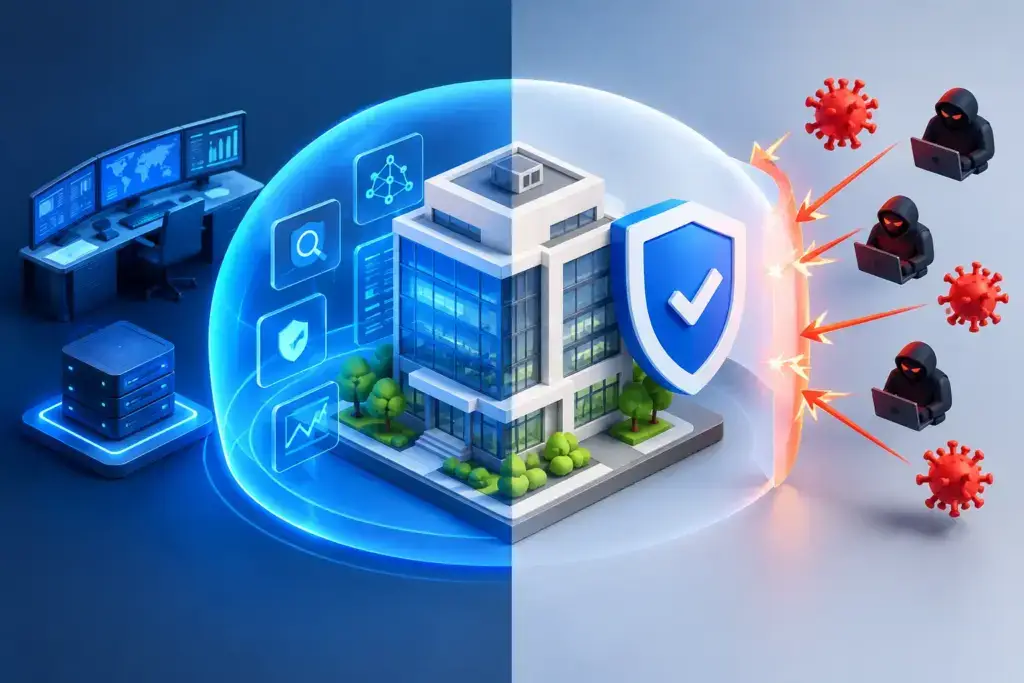
A suspicious login at 2:13 a.m. is not a problem for tomorrow morning. It may be a false alarm, or it may be the first sign that an attacker has access to a user account, a server, or sensitive data. The practical difference in the MDR vs antivirus conversation is who sees that signal, who determines whether it matters, and who acts before a small event becomes a business interruption.
For small and mid-sized businesses, antivirus remains a necessary control. But it was never designed to be a complete security operation. As attacks increasingly target identities, cloud applications, email, and legitimate administrative tools, businesses need coverage that can detect suspicious behavior and respond with speed and judgment.
MDR vs antivirus: the core difference
Antivirus is endpoint protection software. It runs on laptops, desktops, and servers, looking for known malicious files and suspicious activity. Modern antivirus tools often include behavioral detection, ransomware protection, web filtering, and automated blocking. They are far more capable than the basic signature-based products many leaders remember.
Managed Detection and Response, or MDR, is a managed security service. It combines security technology with a team that monitors alerts, investigates activity, and helps contain confirmed threats. MDR commonly uses endpoint detection and response technology, often called EDR, but the service is bigger than the tool. The value comes from continuous monitoring and informed response.
Put simply, antivirus is designed to prevent and block many threats at the device level. MDR is designed to identify threats that get around preventive controls, determine what happened, and coordinate a response. One is a critical layer of protection. The other is an operating capability.
That distinction matters because no prevention tool catches everything. A user may approve a fraudulent multifactor authentication prompt. An employee’s Microsoft 365 account may be accessed with stolen credentials. A trusted remote management tool may be misused by an attacker. In each case, there may be no obvious malicious file for antivirus to block.
What antivirus still does well
Antivirus should not be dismissed as outdated. Well-managed endpoint protection provides a valuable first line of defense against malware, ransomware, malicious downloads, unsafe websites, and suspicious processes. It can automatically quarantine files and stop threats before a user notices anything is wrong.
For a very small organization with limited systems, a quality antivirus platform, consistent patching, multifactor authentication, secure backups, and basic security awareness training can materially reduce risk. It is better than relying on a firewall and hoping employees recognize every phishing email.
The trade-off is visibility and follow-through. Antivirus products generate alerts, but they do not necessarily explain whether an alert represents an active incident, which accounts were affected, whether data was accessed, or what needs to happen next. Someone still has to review the information and make the call.
That is often where the gap appears. A busy internal administrator may receive dozens of notifications from endpoint software, Microsoft 365, network equipment, and backup systems. Sorting through them after the fact is not the same as having a security team watching for connected signs of an attack.
What MDR adds to the equation
MDR adds people, process, and around-the-clock attention to the security technology already in place. The service team reviews alerts in context, separates routine activity from credible threats, and investigates suspicious behavior across the environment.
Investigation instead of alert forwarding
A worthwhile MDR service does more than send a high-priority email at midnight. Analysts should examine the activity behind the alert: the user, device, login location, process activity, network connections, and related events. That investigation reduces false alarms while helping the business focus on incidents that require action.
For example, a blocked malicious file may be a contained event. The same file appearing on several devices, paired with unusual administrative activity and failed login attempts, tells a very different story. MDR helps connect those signals before damage spreads.
Faster containment when every minute matters
When an incident is confirmed, response speed matters. Depending on the agreed service model and permissions, MDR may isolate a device, disable a compromised account, block a malicious connection, or escalate directly to the IT team for coordinated remediation.
This is not a substitute for sound incident response planning. Your business still needs clear decision-makers, backup verification, communication procedures, and a path for restoring operations. MDR improves the odds that an incident is found early enough for that plan to work as intended.
Broader security context
The strongest MDR programs look beyond a single antivirus alert. They may incorporate endpoint telemetry, identity activity, email security events, cloud logs, firewall data, and vulnerability information. Coverage varies by provider, so leaders should ask exactly which systems are monitored and what happens when suspicious activity is found.
A business that relies heavily on Microsoft 365, cloud file sharing, remote workers, and line-of-business applications has a larger attack surface than its office computers alone. Monitoring only endpoints leaves meaningful blind spots.
Why EDR alone does not settle the question
EDR is frequently part of an MDR service, but the terms are not interchangeable. EDR provides detailed endpoint visibility and response capabilities. It can show what ran on a device, where it came from, and what other systems may be affected. It is powerful technology.
However, EDR still requires trained people to configure it, tune detections, investigate alerts, and respond consistently. Buying a capable EDR platform without assigning ownership can create a false sense of security. The dashboard may look reassuring while alerts accumulate unnoticed.
Some organizations have an internal security team that can operate EDR effectively. In that case, additional MDR may be unnecessary or may be used only for after-hours coverage and specialized support. Most businesses with 10 to 450 employees do not have a dedicated security operations center, nor should they have to build one simply to gain meaningful detection coverage.
MDR vs antivirus in business terms
The right choice is rarely MDR or antivirus. It is antivirus and, where the risk justifies it, MDR layered over well-managed endpoint protection.
Antivirus is generally the baseline for every managed device. MDR becomes more compelling when a business handles regulated data, depends on cloud applications, supports remote work, has cyber insurance requirements, or cannot tolerate prolonged downtime. It is also a practical fit when leadership knows there is no one internally who can assess security alerts after hours.
Consider the cost of a missed incident in operational terms. Could your team process orders, access patient or client records, communicate with customers, or run payroll if systems were encrypted or accounts were locked? Would a compromised mailbox expose financial information, contracts, or customer data? The answers make the investment decision clearer than a feature checklist does.
MDR also supports a more defensible security posture. Many insurance applications, customer security questionnaires, and compliance obligations ask for evidence of endpoint protection, monitoring, access controls, incident response, and ongoing oversight. MDR does not guarantee compliance, but it can provide an important part of the monitoring and response capability those programs expect.
Questions to ask before choosing an MDR provider
Not all MDR services deliver the same level of coverage or response. Before signing an agreement, ask whether monitoring is truly 24/7, which data sources are included, and whether the service covers endpoints only or also identity, email, cloud, and network activity.
Clarify who can take containment actions and under what circumstances. Some providers can isolate a device immediately. Others notify your team and wait for approval. Neither approach is automatically wrong, but leadership should understand the response timeline before an emergency occurs.
Ask how incidents are communicated, what is included in the monthly service, and whether your IT provider will own remediation after a threat is contained. Detection without cleanup, root-cause analysis, patching, and recovery planning leaves the job unfinished.
Finally, look for a provider that can place MDR within a larger security roadmap. Endpoint monitoring is more effective when it is connected to patch management, identity protection, secure backups, user training, network management, and executive-level risk planning. Fragmented tools create fragmented accountability.
Build coverage, not a product stack
The goal is not to collect more security products. It is to create a clear chain of protection, detection, response, and recovery that matches your business operations. Antivirus blocks common threats. MDR gives suspicious activity the attention it needs when prevention is not enough. Backups, identity controls, patching, and a tested response plan make the business more resilient when an event does occur.
For leaders who are tired of security alerts without clear answers, the right next step is a candid review of what is monitored, who is watching, and how quickly your organization can act. Security maturity is not about buying the most tools. It is about knowing that when something goes wrong, the right people will see it, own it, and move decisively.
