
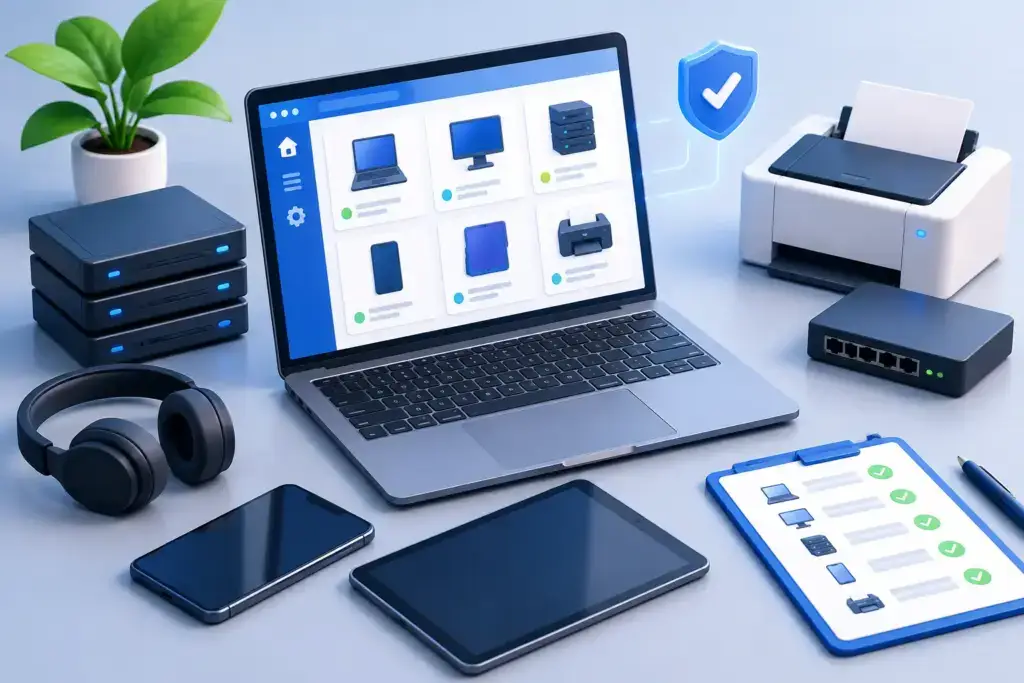
A ransomware incident, failed laptop, insurance renewal, or employee departure can expose the same uncomfortable gap: nobody can say with confidence what technology the business owns, who uses it, or whether it is protected. To create an IT asset inventory is to replace that uncertainty with a working record of the systems your business depends on.
For a growing business, this is not an administrative exercise. A useful inventory gives leaders a clearer view of security exposure, technology spending, support priorities, and replacement needs. It also gives IT teams a faster path to solving problems because they are no longer starting every conversation by asking what device, software, or account is involved.
Why an IT asset inventory matters to the business
Most companies have some version of an inventory already. It may be a spreadsheet from a past onboarding, a purchasing folder, a list in the help desk, or the institutional knowledge of one long-tenured employee. The problem is that these sources rarely stay aligned as people join, devices are replaced, applications are added, and teams begin working from more locations.
That creates operational risk. When a laptop goes missing, you need to know whether it contained sensitive data, whether disk encryption was active, and whether access can be removed. When a security advisory affects a firewall, application, or operating system, you need to know whether it exists in your environment. When a line-of-business application comes up for renewal, you need to know who owns it, who uses it, and whether it is still worth paying for.
A current inventory also supports more mature planning. It can reveal a group of aging workstations due for replacement, unsupported network equipment that needs attention, duplicate SaaS subscriptions, or a business-critical application with no documented owner. Those are decisions leadership can make deliberately instead of surprises that arrive as outages or emergency invoices.
Start with the decisions the inventory must support
Do not begin by trying to document every cable, keyboard, and unused account in a single pass. Start with the questions your organization needs to answer. For most small and mid-sized businesses, the first inventory should help determine what is connected to the network, what can access company data, what software is in use, and what technology is essential to operations.
That scope normally includes employee laptops and desktops, servers, mobile devices used for business, network equipment, printers, cloud applications, Microsoft 365 or other productivity accounts, backups, VoIP systems, and security tools. For some organizations, cameras, access control hardware, specialized manufacturing equipment, medical devices, or point-of-sale systems belong in the same view because they affect daily operations or security.
The right level of detail depends on the asset. A company-issued laptop requires more information than a conference-room display. A firewall, server, and payroll platform deserve deeper tracking because failure or compromise would have a larger business impact. The objective is not documentation for its own sake. It is enough dependable information to manage risk and make decisions.
How to create an IT asset inventory in five practical stages
1. Establish one source of truth
Choose the system that will hold the official record. A spreadsheet can work for a very small, stable environment, but it becomes fragile quickly. It is easy to create duplicate entries, lose change history, or leave updates waiting in someone’s inbox.
As the environment grows, an IT documentation platform, asset management tool, or managed service platform is usually the better choice. The platform matters less than the process behind it. Everyone responsible for purchasing, onboarding, support, and offboarding should know where asset records live and who is accountable for keeping them current.
2. Collect data from more than one place
No single discovery method sees everything. Network scanning may identify connected devices, but it will not reliably show cloud subscriptions, remote devices that have not connected recently, or business-owned phones. Purchasing records may show what was bought, but not whether it is still in use. User interviews can surface shadow IT, but they are not a substitute for technical discovery.
Start with available records, then compare them against endpoint management, identity platforms, network tools, accounting data, software administration portals, and physical walkthroughs. The differences between these sources are often where the most valuable findings appear: an unreturned laptop, an inactive employee account, or a paid application that nobody claims to own.
3. Record information that drives action
Each asset record should make it possible to answer who owns the asset, where it is, how critical it is, and what protections or obligations apply. For devices, record the manufacturer, model, serial number, assigned user, department, location, operating system, purchase date, warranty status, and replacement expectation.
For applications and cloud services, capture the business owner, technical administrator, renewal date, licensing model, user count, data classification, vendor contact, and whether the service is tied to a documented business process. For network and security equipment, include its physical location, IP address or management details, configuration backup status, support contract, firmware status, and business role.
Avoid turning the inventory into a place for passwords or sensitive recovery codes. Those belong in a properly controlled password management system. Your inventory can reference the approved credential location without exposing the credential itself.
4. Classify criticality and risk
A flat list is better than no list, but it does not tell the business where to focus. Add a simple criticality rating such as low, medium, high, or mission-critical. A workstation used for general email may be important, while the device or application that processes customer orders may be mission-critical.
Then identify basic risk factors. Is the device unsupported? Is it encrypted and managed? Does the application store regulated, financial, or customer data? Is there a backup? Is there an owner who can make decisions about the system? These fields make the inventory useful during security reviews, compliance preparation, cyber insurance questionnaires, and disaster recovery planning.
5. Build updates into normal work
An inventory fails when it is treated as a project with an end date. The record must change when technology changes. That means updating it during purchasing, employee onboarding, equipment deployment, software approval, role changes, offboarding, and disposal.
Automation can reduce the manual workload. Endpoint management tools can report device details and security posture. Identity systems can help reconcile users and licenses. Network monitoring can identify new or unknown hardware. But automation does not replace ownership. Someone still needs to investigate exceptions, validate business context, and decide whether an unknown asset is acceptable, unnecessary, or dangerous.
Common inventory mistakes that create false confidence
The first mistake is tracking only hardware. Cloud applications, user identities, administrative accounts, domains, subscriptions, and vendor-managed platforms can be just as critical as servers and laptops. A business can have a clean hardware spreadsheet and still have major exposure through unmanaged SaaS tools or forgotten administrator access.
The second is treating an asset list as a security control by itself. An inventory helps you find what must be secured, patched, backed up, and monitored. It does not perform those actions. If a device is listed but has no endpoint protection, no encryption, and no patching process, the record has identified a problem rather than solved it.
The third is overbuilding before the basics are dependable. Capturing dozens of fields for every mouse and monitor can slow the project until it stalls. Start with systems that affect security, operations, and spending. Expand the detail once the update process is working.
Turn the inventory into a technology roadmap
The most useful inventory is reviewed, not filed away. A monthly operational review can identify new devices, missing ownership details, expiring licenses, and unsupported software. A quarterly leadership review can use the same data to plan replacements, reduce duplicate spending, prioritize security projects, and prepare for growth.
For example, an inventory may show that 30 laptops will leave warranty within the next 12 months, a legacy server supports a key application, and three departments pay for overlapping file-sharing tools. Those findings lead to a practical roadmap with cost, timing, risk, and ownership attached. That is far more valuable than reacting when hardware fails or a renewal lands without warning.
For organizations without internal IT capacity, a managed IT and security partner can establish the baseline, connect discovery tools, document business context, and keep the records aligned with support and security operations. Quantum Shield IT approaches asset visibility as part of a larger plan: reduce surprises, protect what matters, and give leadership a clear basis for technology decisions.
A well-maintained inventory will not prevent every problem. It will ensure that when a problem appears, your team knows what is affected, who needs to act, and what the next decision should be.
