
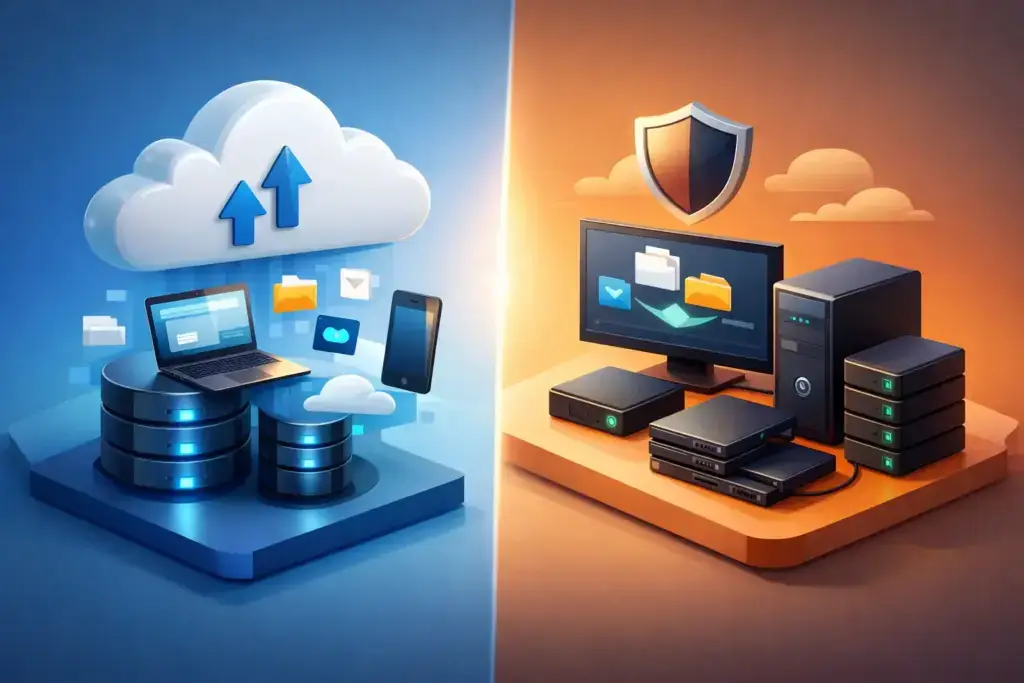
A server fails at 10:15 a.m. A local copy of the data may be the fastest way to get employees working again. But if the same event is a fire, theft, ransomware attack, or building-wide power issue, that local copy may be gone too. That is the real business question behind cloud backup versus local backup: not which option is better in isolation, but whether your recovery plan can withstand the disruptions your business could actually face.
For small and mid-sized businesses, backup is no longer a background IT task. It affects customer service, payroll, compliance, cyber insurance, and the confidence leaders have in their ability to keep operating through an incident. The right approach balances recovery speed, data protection, cost, and accountability.
Cloud Backup Versus Local Backup at a Glance
Local backup stores copies of business data on hardware you control or keep nearby, such as a network-attached storage device, backup appliance, external drive, or secondary server. Because the data is physically close to your systems, restores can be fast, especially when recovering a large file server or virtual machine.
Cloud backup sends encrypted copies of data to an offsite provider’s data centers. It protects against events that affect your office, and it supports recovery from another location when teams are remote or the primary site is unavailable. Restoration speed depends on internet bandwidth, the amount of data involved, and the provider’s recovery capabilities.
Neither method is a complete strategy on its own for most organizations. Local backup is strong for speed. Cloud backup is strong for geographic separation and resilience. A well-designed business continuity plan usually needs both.
When Local Backup Is the Better First Line of Defense
Local backup earns its place because time matters during a disruption. If a user accidentally deletes a folder, a database needs to be rolled back, or a server drive fails, recovering from a local appliance can be much faster than pulling hundreds of gigabytes across an internet connection.
This is particularly valuable for businesses with large on-premises file stores, engineering files, medical imaging, video assets, or line-of-business applications that generate substantial data. A local backup system can often restore entire systems quickly enough to avoid a full day of downtime.
Local storage also gives an organization direct control over the equipment and its performance. There is no recurring cloud storage charge for every additional terabyte in the same way there may be with a hosted platform. For predictable, high-volume workloads, that can make local backup economically attractive over time.
The limitation is obvious when an incident reaches beyond a single failed device. If the backup appliance sits in the same server room as the production server, both can be damaged by water, fire, electrical issues, theft, or a destructive cyberattack. A local backup that is always connected to the network can also be a ransomware target. Fast recovery is valuable, but fast recovery from a compromised copy solves nothing.
Where Cloud Backup Changes the Risk Equation
Cloud backup creates physical distance between your systems and your recovery data. That distance matters when an event affects the office itself or when a malicious actor gains broad access to the network.
A properly configured cloud backup service encrypts data in transit and at rest, retains multiple recovery points, and can store protected copies in a separate environment. Some platforms offer immutable backups, meaning data cannot be altered or deleted for a defined retention period. This feature is especially important in ransomware planning because attackers frequently try to delete backups before demanding payment.
Cloud backup also supports a different kind of recovery: operating from somewhere else. If an office is inaccessible, a company may be able to restore key data to replacement infrastructure, access protected files remotely, or bring critical systems online in a hosted environment. That flexibility can turn a facility outage from a business-stopping event into an operational inconvenience.
There are trade-offs. Large recoveries can take longer if they depend entirely on internet bandwidth. Monthly costs can rise as data grows, particularly when long retention periods or rapid recovery options are required. Cloud backup also is not automatically secure just because it is cloud-based. Weak administrator credentials, poor access controls, or missing alerts can leave backup data exposed.
Recovery Objectives Should Drive the Decision
The most useful backup conversations start with two questions: how long can a system be down, and how much recent work can the business afford to lose?
The first is your recovery time objective, often called RTO. A payroll platform may need to return within hours. An archive server may be able to wait longer. The second is your recovery point objective, or RPO. If a system is backed up once nightly, a failure late in the afternoon could mean losing nearly a day of changes. For some organizations, that is tolerable. For others, it is not.
These targets should differ by system. Treating every device and application as equally critical creates unnecessary cost and complexity. Treating everything as noncritical creates unpleasant surprises when a system fails.
For example, a construction company may prioritize project files, estimating software, accounting records, and Microsoft 365 data. A professional services firm may prioritize client documents, email, identity systems, and document management platforms. The right backup design follows how the business operates, not a generic storage checklist.
Why the Best Answer Is Usually a Hybrid Backup Strategy
The practical standard is often described as the 3-2-1 rule: keep at least three copies of important data, on two different types of storage, with one copy stored offsite. Many security-minded organizations extend this with an additional protected or immutable copy.
In practice, that might mean production data, a local backup appliance for quick restores, and encrypted cloud storage for offsite recovery. The local copy limits downtime from routine failures. The offsite copy protects the business when the entire location, network, or local backup system is affected.
A hybrid plan should not simply duplicate data without thought. It should define what gets backed up, how frequently, how long each type of data is retained, who can access the backup console, and what happens when a restore is needed. It should also account for SaaS platforms. Microsoft 365, for example, has availability features, but those do not necessarily replace an independent backup and retention strategy for email, Teams, SharePoint, and OneDrive data.
Security Controls Matter as Much as Storage Location
A backup is only useful if it is protected from the same failures that threaten production systems. This requires more than installing software and checking a green status indicator.
Use multifactor authentication for backup administration, separate backup credentials from everyday user accounts, and restrict privileged access to the smallest practical group. Review whether backup systems are exposed to the public internet and whether they receive the same patching attention as other critical infrastructure. Encryption keys, retention settings, and deletion permissions deserve executive-level awareness because they determine whether recovery is possible under pressure.
Monitoring is equally important. A failed backup job, an unexpected reduction in protected data, or a sudden spike in deletion activity should trigger a review. Silent backup failures are common because organizations assume an automated task is working until the day it is needed.
Test Restores Before You Need One
The difference between a backup product and a recovery plan is testing. A completed backup does not prove that files are usable, applications will start, or staff know who is responsible during an outage.
Test small restores regularly, then schedule deeper recovery exercises for critical systems. Confirm that the restored data is complete, permissions work as expected, and employees can access the applications they need. Document the results, including the actual time required. Those results are more meaningful than a vendor promise because they reflect your data volume, your environment, and your team.
For organizations with compliance obligations or cyber insurance requirements, documented testing can also demonstrate that recovery is an active control rather than an assumption.
Choosing the Right Fit for Your Business
A local-first approach may fit a business that needs rapid restoration of large on-premises systems and has a secure, well-managed secondary location. A cloud-first approach may fit a distributed organization with limited office infrastructure, cloud-native applications, and a need to recover from anywhere.
Most growing businesses need a hybrid design with clear priorities. They need to know which systems must be restored first, where the protected copies live, whether those copies are insulated from ransomware, and who owns the recovery process. That ownership matters. Backup is not a product decision that can be made once and forgotten. It is an operational commitment that has to keep pace with new applications, changing data volumes, hybrid work, and evolving threats.
The next productive step is not to buy more storage. It is to identify the systems your business cannot operate without, set realistic recovery targets for each one, and prove that your current backups can meet them before an incident forces the test.
