
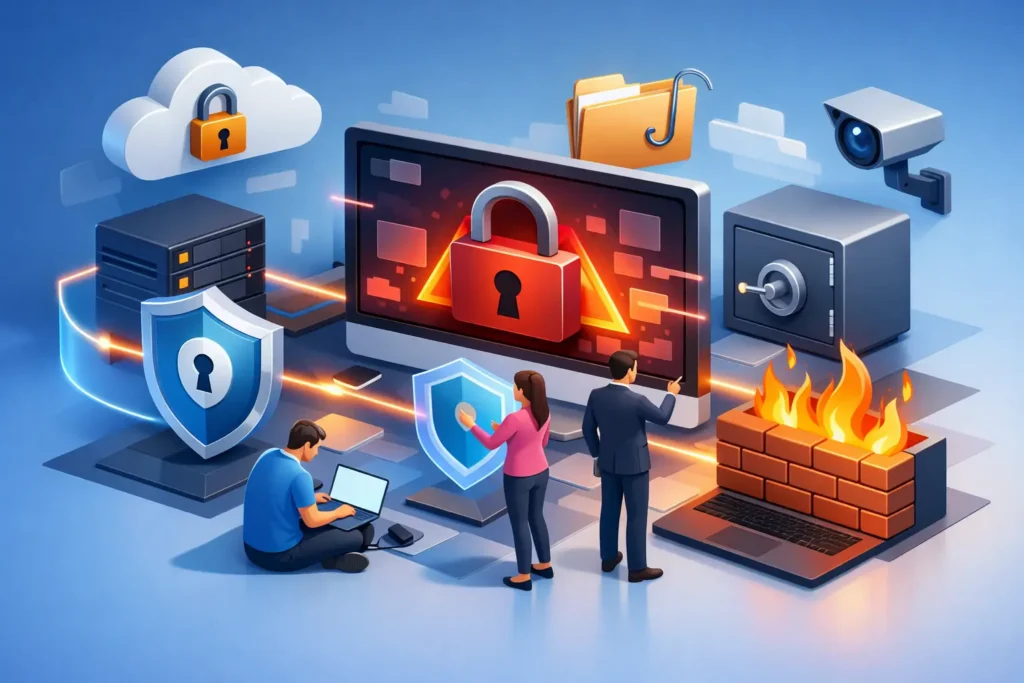
A ransomware event rarely starts with a dramatic breach alert. It often begins with a convincing email, a reused password, an unpatched server, or an employee who needs quick access to a file. Knowing how to prevent ransomware attacks means reducing those ordinary openings before they become a business-wide outage.
For a small or mid-sized business, the stakes are bigger than recovering encrypted files. Ransomware can halt payroll, disrupt customer service, expose sensitive data, trigger insurance complications, and force leadership to make difficult decisions under pressure. The goal is not to buy one security tool and hope for the best. It is to build layers of protection that make an attack harder to launch, easier to detect, and far less damaging to recover from.
Start With the Paths Attackers Actually Use
Ransomware groups do not need to defeat every control in your environment. They need one workable path in. Phishing remains common because it targets people during busy workdays, often using messages that imitate vendors, executives, shared-document notifications, or password reset requests. Stolen credentials, exposed remote access tools, outdated software, and poorly secured cloud accounts are also frequent entry points.
That is why prevention starts with visibility. Your business should know which systems hold sensitive data, who has administrative access, which applications are internet-facing, and where employees work from. If IT cannot clearly answer those questions, security decisions become reactive and blind spots multiply.
A practical review should identify unsupported operating systems, forgotten user accounts, former employees with active access, unmanaged laptops, and software that no longer receives security updates. These issues may look minor on their own. Together, they create the conditions attackers look for.
How to Prevent Ransomware Attacks With Layered Controls
No single control stops every ransomware attempt. A layered approach is more dependable because one missed phishing email or delayed patch does not automatically become a company-wide incident.
Protect identities first
Most business systems now rely on cloud identities. If an attacker gains access to a Microsoft 365 account with broad permissions, they may read email, reset passwords, impersonate employees, and move into connected applications. Multi-factor authentication should be required for email, cloud platforms, remote access, administrator accounts, and any system containing sensitive business data.
Not all multi-factor authentication methods provide the same protection. App-based prompts and authenticator codes are generally stronger than text messages, while phishing-resistant methods offer greater protection for high-risk users. Executives, finance staff, IT administrators, and employees with access to customer or regulated data should receive extra attention.
Use unique passwords and a managed password solution rather than encouraging employees to remember complex variations. Just as important, remove access promptly when roles change or employment ends. Access should match the job, not historical convenience.
Make email harder to weaponize
Email security should filter malicious attachments, suspicious links, impersonation attempts, and spoofed domains before they reach inboxes. But filters are not perfect. Employees need clear, recurring training that reflects the messages they actually receive.
The most useful training is not a once-a-year compliance exercise. It teaches people to pause when a request involves payment changes, credential entry, gift cards, sensitive files, or urgent instructions from leadership. It also gives them a simple reporting path. Employees should know that reporting a suspicious email is helpful, even if it turns out to be legitimate.
Simulated phishing exercises can reveal where additional coaching is needed, but they should not become a gotcha campaign. The objective is better decision-making, not embarrassment. A workforce that reports quickly gives your security team time to contain a threat before it spreads.
Patch systems on a defined schedule
Attackers routinely exploit known vulnerabilities because many organizations delay updates or do not know what is installed. Operating systems, browsers, firewalls, VPNs, servers, line-of-business applications, and remote management tools all require active patch management.
Critical security updates deserve a faster timeline than routine maintenance. The right schedule depends on your environment and operational constraints, particularly when older business applications are involved. Still, “we cannot patch because it might break something” is not a long-term strategy. Test updates where necessary, document exceptions, and create a plan to replace systems that can no longer be safely maintained.
Limit the damage a compromised account can do
Ransomware spreads faster when users have more access than they need. Apply least-privilege access so employees can reach the files and applications required for their work, but not every shared folder or administrative function in the company.
Administrative accounts should be separate from everyday user accounts. A team member who manages systems should not browse email and the web with domain-level privileges. Segmenting networks also limits lateral movement. For example, guest Wi-Fi, security cameras, production devices, employee workstations, and critical servers should not all sit in one open network segment.
Endpoint detection and response tools add another layer by monitoring laptops and servers for suspicious activity such as unusual encryption behavior, credential theft, or attempts to disable security software. These tools are most valuable when someone is actively monitoring alerts and has a defined process for investigating them. Software that generates alerts without ownership can create a false sense of security.
Backups Are Your Recovery Leverage
A backup is not automatically a ransomware recovery plan. Attackers commonly seek out backup systems and delete or encrypt them before triggering the main attack. Your backup strategy must assume that production systems and some credentials could be compromised.
Maintain multiple copies of critical data, keep at least one copy isolated from the primary environment, and use immutable storage when appropriate. Immutability prevents backup data from being altered or deleted for a defined retention period. This can be a major advantage when an attacker has gained administrative access.
Back up more than file shares. Depending on your business, that may include cloud data, virtual servers, configuration files, databases, and key SaaS platforms. Confirm what is covered rather than assuming every cloud service retains everything you need.
Most importantly, test restoration. A successful backup job only proves that data was copied. A recovery test proves you can restore the right systems in the right order within an acceptable timeframe. Leadership should know the difference between a few hours of disruption and several days without core operations.
Prepare the Business Before an Incident
Technical controls matter, but ransomware response is also a business continuity issue. Create an incident response plan that identifies who makes decisions, who contacts your insurance carrier and legal counsel, how employees receive instructions, and how customers are informed if operations are disrupted.
The plan should include a current list of emergency contacts, technology vendors, bank contacts, cyber insurance details, and leadership responsibilities. Store this information somewhere available even if email, shared drives, or business phones are unavailable. A printed contact list may feel old-fashioned, but it is useful when digital tools are down.
Run a tabletop exercise with leadership at least annually. Walk through a realistic scenario: an employee reports strange files, several servers become unavailable, and a ransom note appears. Discuss who has authority to isolate systems, when to notify the insurer, how to preserve evidence, and which business functions receive priority during recovery. These conversations expose unclear responsibilities before a real incident forces rushed choices.
Watch for Warning Signs and Respond Fast
Early detection can change the outcome. Repeated login failures, impossible travel alerts, new mailbox forwarding rules, disabled security tools, unexpected administrator accounts, or unusual file activity all deserve investigation. Employees should also report slow systems, files with unfamiliar extensions, and pop-ups demanding payment immediately.
If ransomware is suspected, speed matters. Disconnect affected devices from the network when possible, but do not begin deleting files or rebooting systems without direction from qualified incident responders. Preserve evidence, contain the spread, and activate your response plan. Contact your cyber insurance provider early if coverage is in place, since insurers often require approved response procedures.
For many growing businesses, maintaining this level of oversight internally is unrealistic. A managed security partner can provide continuous monitoring, patch oversight, backup validation, security guidance, and executive-level visibility without requiring a full in-house security department. Quantum Shield IT helps businesses turn scattered tools and reactive support into a coordinated security strategy tied to operational priorities.
Ransomware prevention is not about promising that nothing will ever go wrong. It is about making your business a harder target and ensuring that one bad click does not become an existential event. The strongest next step is a candid review of where access, backups, monitoring, and response readiness stand right now.
