
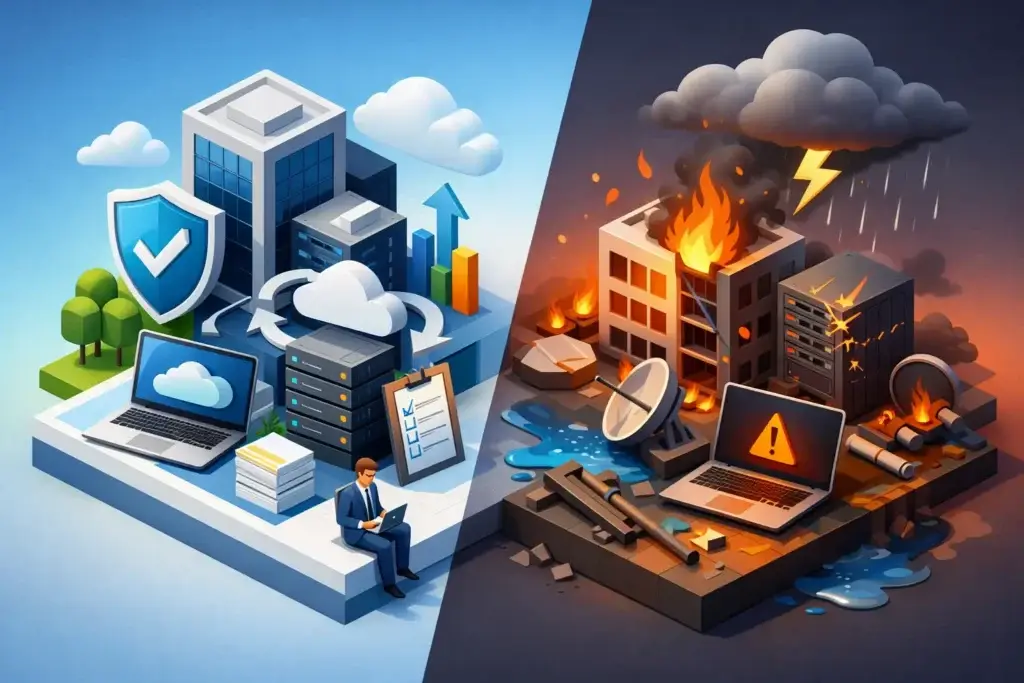
A ransomware notice on a Monday morning is not the time to decide who can approve emergency spending, where staff will work, or how customers will get updates. That is the real distinction in business continuity vs disaster recovery. One keeps the business functioning through disruption. The other restores the technology that was disrupted.
Many small and mid-sized businesses treat the terms as interchangeable because both involve backups, outages, and recovery plans. They are connected, but they answer different questions. A backup may restore a server. It cannot tell your operations team how to process orders while that server is unavailable, who contacts key clients, or which services must come back first.
Business Continuity vs Disaster Recovery: The Core Difference
Business continuity planning focuses on keeping critical business functions operating during and after a disruptive event. That event could be a cyberattack, extended internet outage, fire, severe weather event, vendor failure, power issue, or a sudden loss of access to a facility.
Disaster recovery is the technology-focused part of the response. It covers how systems, applications, data, networks, and communications are restored after a failure. Think of it as the technical recovery plan that gets your environment back to an acceptable operating state.
Business continuity asks, “How do we keep serving customers?” Disaster recovery asks, “How do we restore the systems that support that work?”
Neither plan is complete on its own. A company may have reliable backups but still lose days to confusion if employees do not know how to work during recovery. Another may have a documented remote-work process but be unable to execute it because the files, identity systems, or line-of-business applications were not recoverable.
What a Business Continuity Plan Covers
A practical continuity plan starts with the business, not the server room. Leaders identify the activities that cannot stop for long without causing unacceptable financial, operational, legal, or reputational damage.
For a construction company, that may mean payroll, project documentation, field communications, and vendor coordination. For a professional services firm, it may be secure access to client files, email, scheduling, and billing. A healthcare-adjacent organization may need patient communications and compliant access to records. The priorities differ, which is why a copied template rarely holds up under pressure.
A continuity plan typically defines alternate ways to perform critical work, decision-makers and escalation paths, employee communication procedures, customer and vendor messaging, and temporary work arrangements. It should also document dependencies that are easy to overlook, such as a single person who knows how to run payroll, an outside vendor that hosts a critical application, or a physical location required for shipping.
The goal is not to promise zero downtime. For most organizations, that would be unreasonably expensive. The goal is to make deliberate decisions about what must continue, what can wait, and what resources are needed to operate safely while normal conditions are restored.
Recovery objectives make priorities measurable
Two terms help convert broad concerns into technical and operational requirements: recovery time objective, or RTO, and recovery point objective, or RPO.
RTO is the longest acceptable period a system or process can be unavailable. If your accounting platform has a 24-hour RTO, the organization has determined that it needs to be functioning again within a day. A customer-facing phone system may need a much shorter RTO.
RPO defines how much data loss is acceptable, measured in time. An RPO of four hours means the business can tolerate losing up to four hours of changes if a recovery is required. If every transaction matters, the RPO may need to be minutes rather than hours.
These targets carry cost and complexity. Faster recovery and lower data-loss tolerance often require better infrastructure, more frequent backups, application-aware protection, redundant connectivity, or cloud-based failover. The right answer depends on the cost of downtime, not on a generic checklist.
What a Disaster Recovery Plan Covers
A disaster recovery plan turns recovery objectives into technical procedures. It should identify the systems in scope, their dependencies, the backup locations, the people authorized to initiate recovery, and the order in which services will return.
That order matters. Restoring a file server before identity services, network access, or multifactor authentication may not help users get back to work. Likewise, restoring a line-of-business application without its database, licensing service, or connected storage can create a false sense of progress.
A mature plan considers more than backing up files. It addresses whether backups are encrypted, isolated from production systems, protected from ransomware, and tested for actual restoration. It also considers Microsoft 365 data, cloud applications, virtual machines, endpoint configurations, network devices, and business-critical SaaS platforms. Cloud services reduce certain infrastructure burdens, but they do not eliminate the need to understand data retention, account recovery, and vendor responsibilities.
Backup is necessary, but it is not disaster recovery
This is one of the most expensive misunderstandings in IT. A backup is a copy of data or a system state. Disaster recovery is the documented and tested capability to restore that copy within the required time frame.
A backup can fail because it was never completed, cannot be accessed, was encrypted by an attacker, lacks the required application data, or takes far longer to restore than expected. A business can also discover too late that its backup did not include the system configuration needed to make an application usable.
The test is straightforward: could your team restore the systems that matter, in the correct order, with the people and access they would realistically have during an incident? If the answer is uncertain, the organization has backups, not a proven recovery capability.
How the Plans Work Together During an Incident
Consider a ransomware event that affects shared files, employee accounts, and a core application. Disaster recovery handles containment, forensic preservation, system restoration, credential resets, and the recovery of clean data. Business continuity addresses how staff communicate, whether employees use approved temporary processes, how customer commitments are managed, and who makes decisions as facts change.
The same relationship applies to a regional outage. Disaster recovery may involve moving services to a secondary environment or restoring connectivity. Business continuity determines whether employees work remotely, how calls are rerouted, how payments are processed, and how the company keeps customers informed.
Security has to be part of both plans. Recovering quickly is not enough if the attacker still has access. Recovery procedures should include identity review, privileged-access controls, endpoint validation, vulnerability remediation, and clear criteria for returning systems to production. Otherwise, the organization risks restoring the same exposure that caused the incident.
Common Gaps That Create Long Outages
The most damaging gaps are often organizational, not technical. A plan stored in one executive’s inbox is unavailable when that person is traveling or unreachable. A recovery procedure written for an old server environment can send the team in the wrong direction. A company may pay for backup services without knowing whether its provider is responsible for restoring data, rebuilding systems, or simply maintaining the backup platform.
Other recurring problems include unclear system ownership, missing vendor contacts, untested emergency communications, and no documented manual workaround for critical processes. Hybrid teams add another layer: employees may need secure remote access, alternate communication methods, and clear rules for using personal devices during a disruption.
For businesses in Las Vegas and Southern California, planning should also account for location-specific risks such as utility interruptions, extreme weather, facility access issues, and local internet provider outages. A plan that assumes every employee can reach the office or use the same connection is not a continuity plan. It is an assumption.
Build a Plan That Fits the Business You Run
Start with a business impact analysis. Meet with operational leaders, finance, HR, and department owners to identify critical processes, dependencies, acceptable downtime, and the consequences of failure. This gives technical teams a clear mandate instead of asking them to guess which systems matter most.
Next, document recovery priorities and map each critical process to the technology, data, people, vendors, and facilities it depends on. Establish RTO and RPO targets that leadership understands and approves. Then align backup architecture, security controls, communications procedures, and alternate work methods to those targets.
Finally, test the plan. A tabletop exercise can reveal decision and communication gaps. A technical recovery test can verify whether backups restore as expected. Both are necessary. Testing should lead to updates, because systems, staff, vendors, and risks change over time.
Quantum Shield IT approaches continuity and recovery as part of a wider technology and security roadmap. The point is not to add another document to a compliance folder. It is to give leadership clear priorities, defensible recovery capabilities, and fewer surprises when a disruption occurs.
The best time to ask how long your business can operate without a system is before that system goes down. Put real numbers behind the answer, test the assumptions, and give your people a plan they can use when calm decision-making matters most.
